Root and Intermediate CA
Create, validate, and import a two-tier CA hierarchy with OpenSSL.
AD-PKI requires a Root CA certificate and an Intermediate CA certificate with its private key. The following reference creates a basic two-tier hierarchy with OpenSSL.
⚠️ The Root CA is the primary trust anchor. In production, keep its private key offline, encrypted, and covered by a documented recovery process. Creating it directly on the AD-PKI host is mainly appropriate for test or tightly controlled internal environments.
1. Create the directory structure
Create the directories:
mkdir -p ~/pki/{root,intermediate}
mkdir -p ~/pki/root/{certs,crl,newcerts,private,csr}
mkdir -p ~/pki/intermediate/{certs,crl,newcerts,private,csr}
Initialize the CA database:
chmod 700 ~/pki/root/private ~/pki/intermediate/private
touch ~/pki/root/index.txt ~/pki/intermediate/index.txt
echo 1000 > ~/pki/root/serial
echo 1000 > ~/pki/intermediate/serial
echo 1000 > ~/pki/intermediate/crlnumber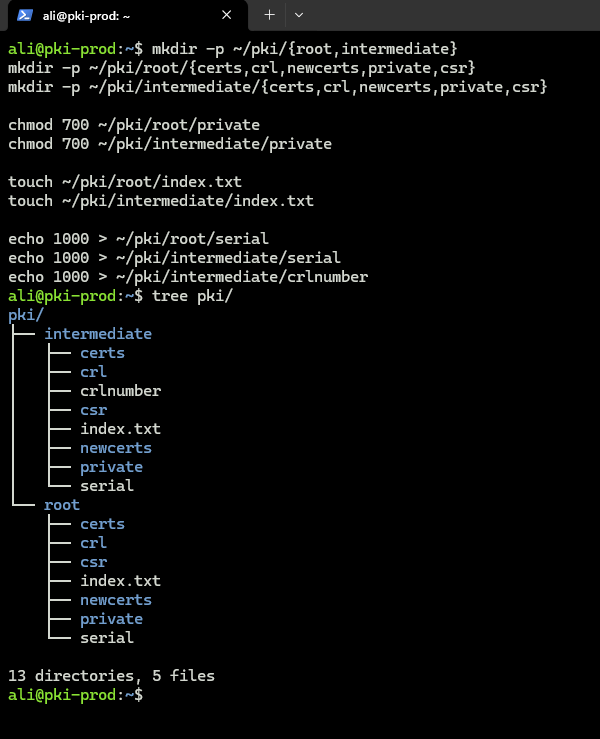
2. Create the Root CA
Passphrase-protected key, recommended:
openssl genrsa -aes256 -out ~/pki/root/private/root-ca.key.pem 4096
chmod 400 ~/pki/root/private/root-ca.key.pem
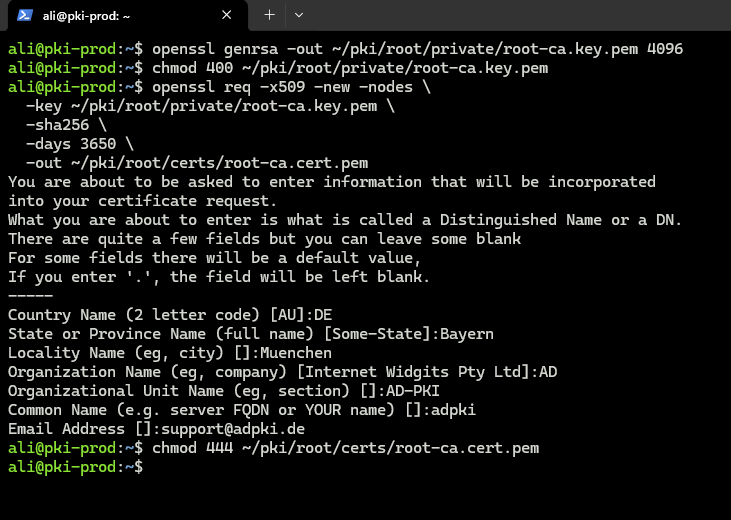
For test environments without a passphrase:
openssl genrsa -out ~/pki/root/private/root-ca.key.pem 4096
chmod 400 ~/pki/root/private/root-ca.key.pem
Create the certificate:
openssl req -x509 -new \
  -key ~/pki/root/private/root-ca.key.pem \
  -sha256 \
  -days 3650 \
  -addext "basicConstraints=critical,CA:TRUE" \
  -addext "keyUsage=critical,keyCertSign,cRLSign" \
  -addext "subjectKeyIdentifier=hash" \
  -out ~/pki/root/certs/root-ca.cert.pem

chmod 444 ~/pki/root/certs/root-ca.cert.pem
Use a unique Common Name such as Example Internal Root CA.
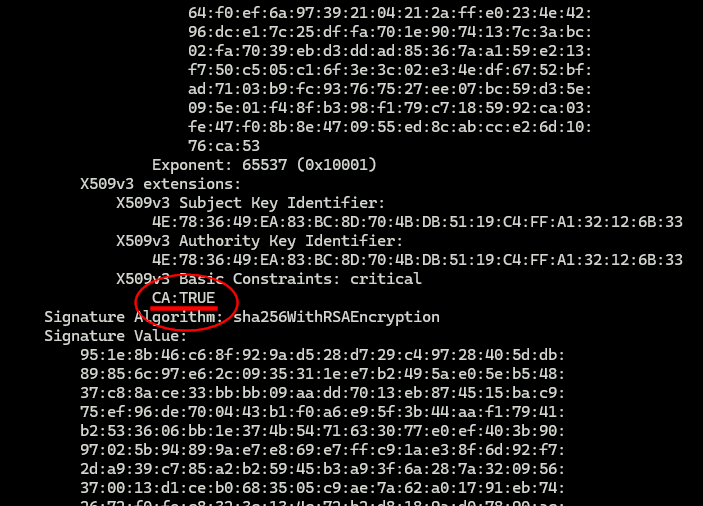
Inspect the certificate:
openssl x509 -noout -text -in ~/pki/root/certs/root-ca.cert.pemThe output must contain CA:TRUE.
3. Create the Intermediate CA
Passphrase-protected key, recommended:
openssl genrsa -aes256 -out ~/pki/intermediate/private/intermediate-ca.key.pem 4096
chmod 400 ~/pki/intermediate/private/intermediate-ca.key.pem
For test environments without a passphrase:
openssl genrsa -out ~/pki/intermediate/private/intermediate-ca.key.pem 4096
chmod 400 ~/pki/intermediate/private/intermediate-ca.key.pem
Create the CSR:
openssl req -new \
  -key ~/pki/intermediate/private/intermediate-ca.key.pem \
  -out ~/pki/intermediate/csr/intermediate-ca.csr.pem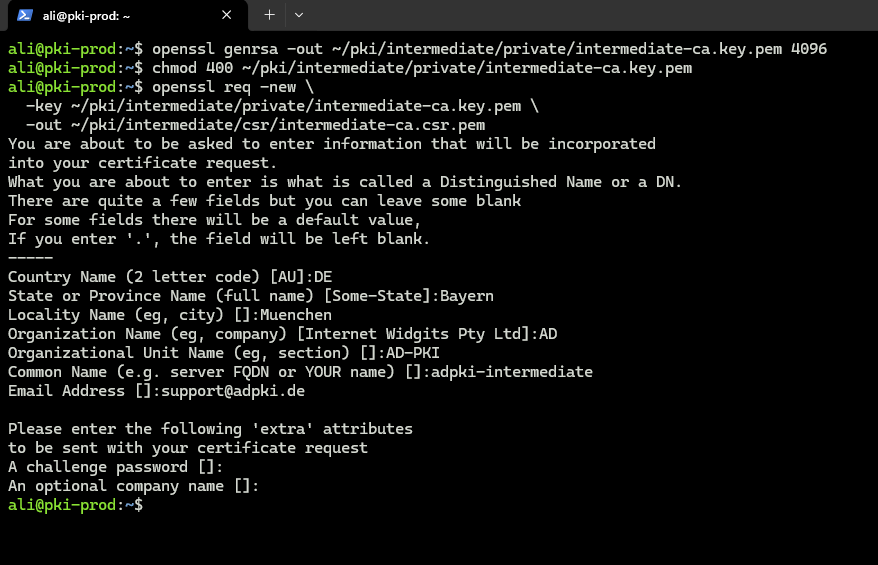
Create the extension file:
cat > ~/pki/intermediate/intermediate.ext <<'EOF'
basicConstraints = critical, CA:true, pathlen:0
keyUsage = critical, digitalSignature, cRLSign, keyCertSign
subjectKeyIdentifier = hash
authorityKeyIdentifier = keyid,issuer
EOF
Sign the Intermediate certificate with the Root CA:
openssl x509 -req \
  -in ~/pki/intermediate/csr/intermediate-ca.csr.pem \
  -CA ~/pki/root/certs/root-ca.cert.pem \
  -CAkey ~/pki/root/private/root-ca.key.pem \
  -CAcreateserial \
  -out ~/pki/intermediate/certs/intermediate-ca.cert.pem \
  -days 1825 \
  -sha256 \
  -extfile ~/pki/intermediate/intermediate.ext

chmod 444 ~/pki/intermediate/certs/intermediate-ca.cert.pem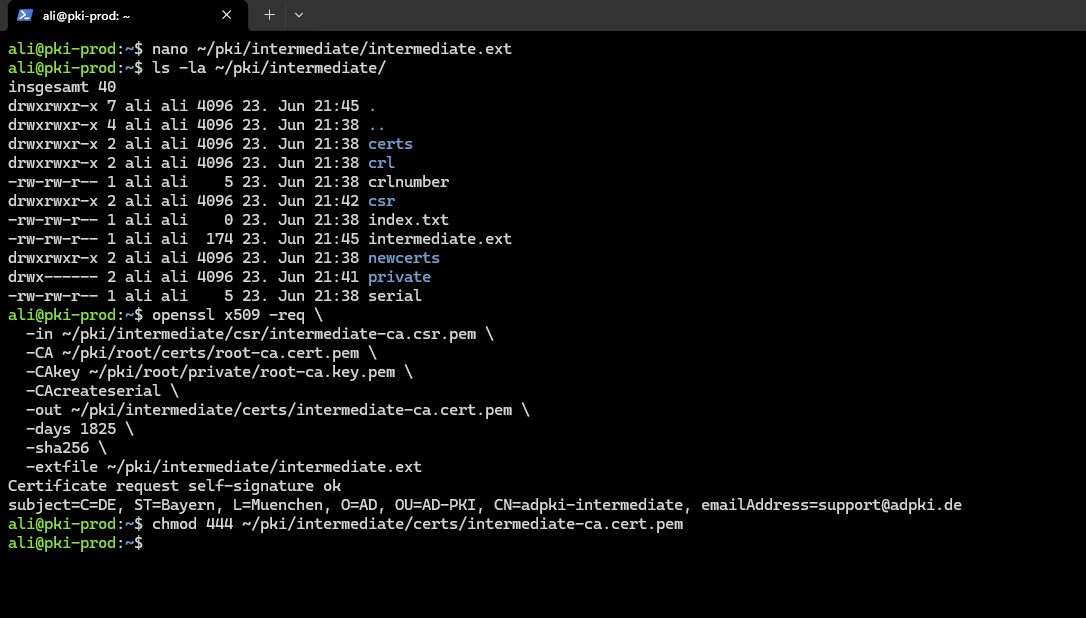
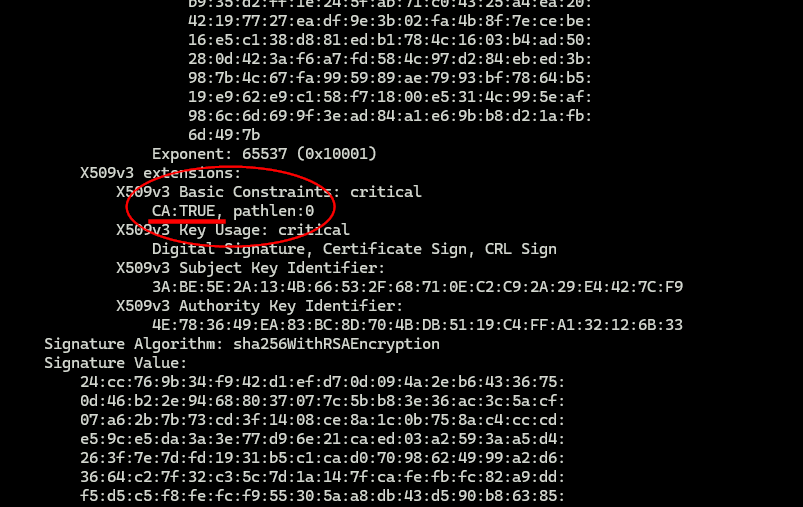
Inspect the certificate:
openssl x509 -noout -text -in ~/pki/intermediate/certs/intermediate-ca.cert.pemThe certificate must contain CA:TRUE, pathlen:0.
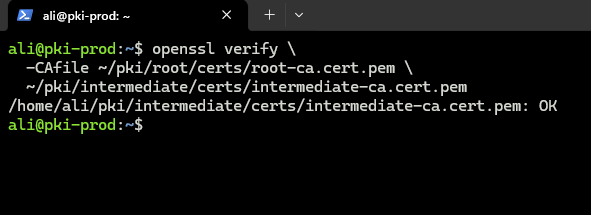
4. Validate the chain
openssl verify \
  -CAfile ~/pki/root/certs/root-ca.cert.pem \
  ~/pki/intermediate/certs/intermediate-ca.cert.pem
The expected result ends with OK.
The setup wizard later uses these files:
~/pki/root/certs/root-ca.cert.pem
~/pki/intermediate/certs/intermediate-ca.cert.pem
~/pki/intermediate/private/intermediate-ca.key.pem